Route straight from Discover
In the search results, choose 2–9 businesses with “Select for a route” and open the route in Google Maps, with nothing saved and no extra credits used.
Details: Find customersBu sayfa Türkçe de var. Türkçe sayfaya geç
Diese Seite gibt es auch auf Deutsch. Zur deutschen Seite
Cette page existe aussi en français. Aller à la page en français
Esta página también está disponible en español. Ir a la página en español
Esta página também está disponível em português. Ir para a página em português
هذه الصفحة متاحة أيضًا باللغة العربية. الانتقال إلى الصفحة العربية
本页面也有简体中文版。 前往简体中文页面
SalesMap is the daily assistant for people who sell in the field. Find businesses around you, save them to your customer Logbook, plan your day and open the day's route on the map with one tap.
Tap 2–3 of the businesses on the map, then press “Open route”. The route is drawn in the order you chose.
No business selected yet.
This is an animation; in the app, the route opens in Google Maps.
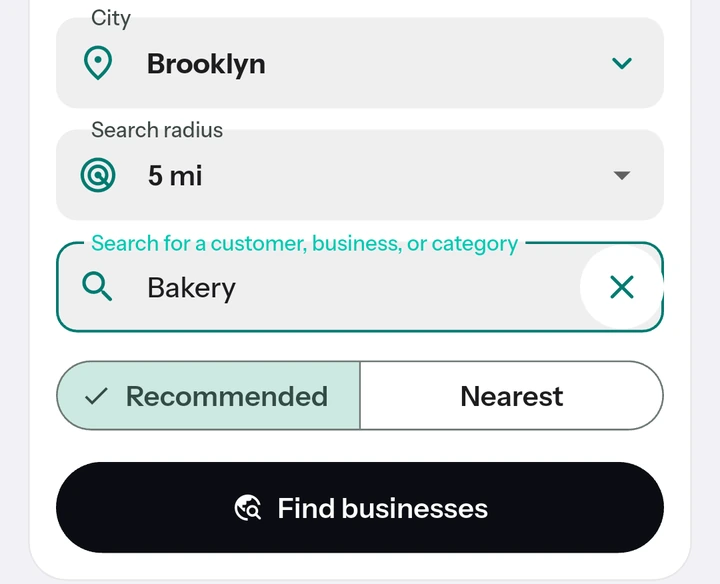
Set up your day in four steps.
Choose an area and a distance, type the kind of business you are looking for, and the businesses in that area come as a list.
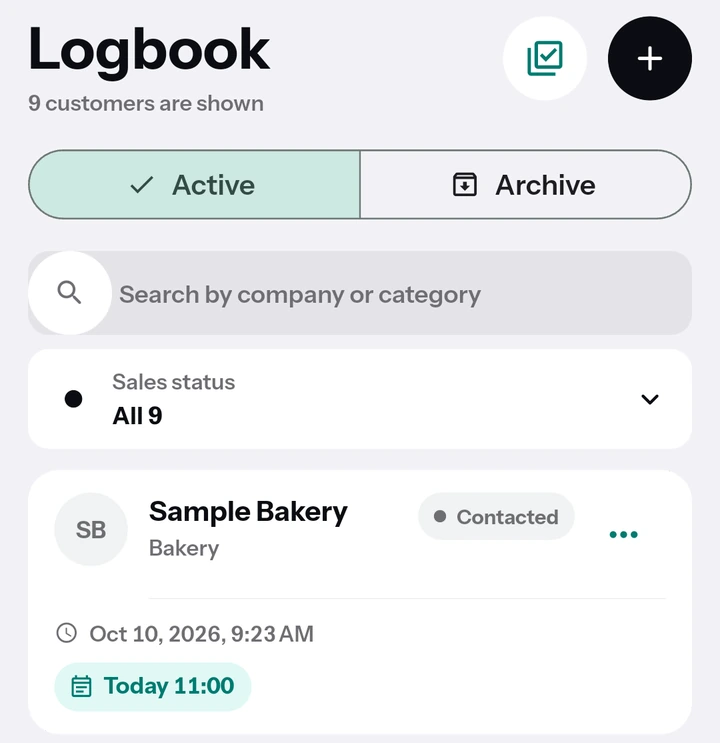
Save the ones that fit to your Logbook under the name you choose; your notes and next step stay together.
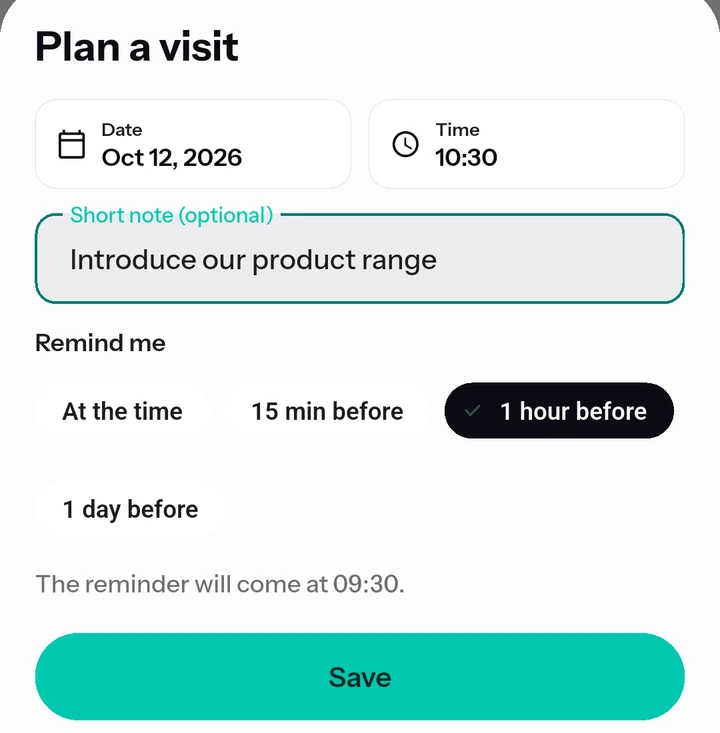
On the customer page, pick a date and time with “Plan a visit”; the reminder is set on your phone.
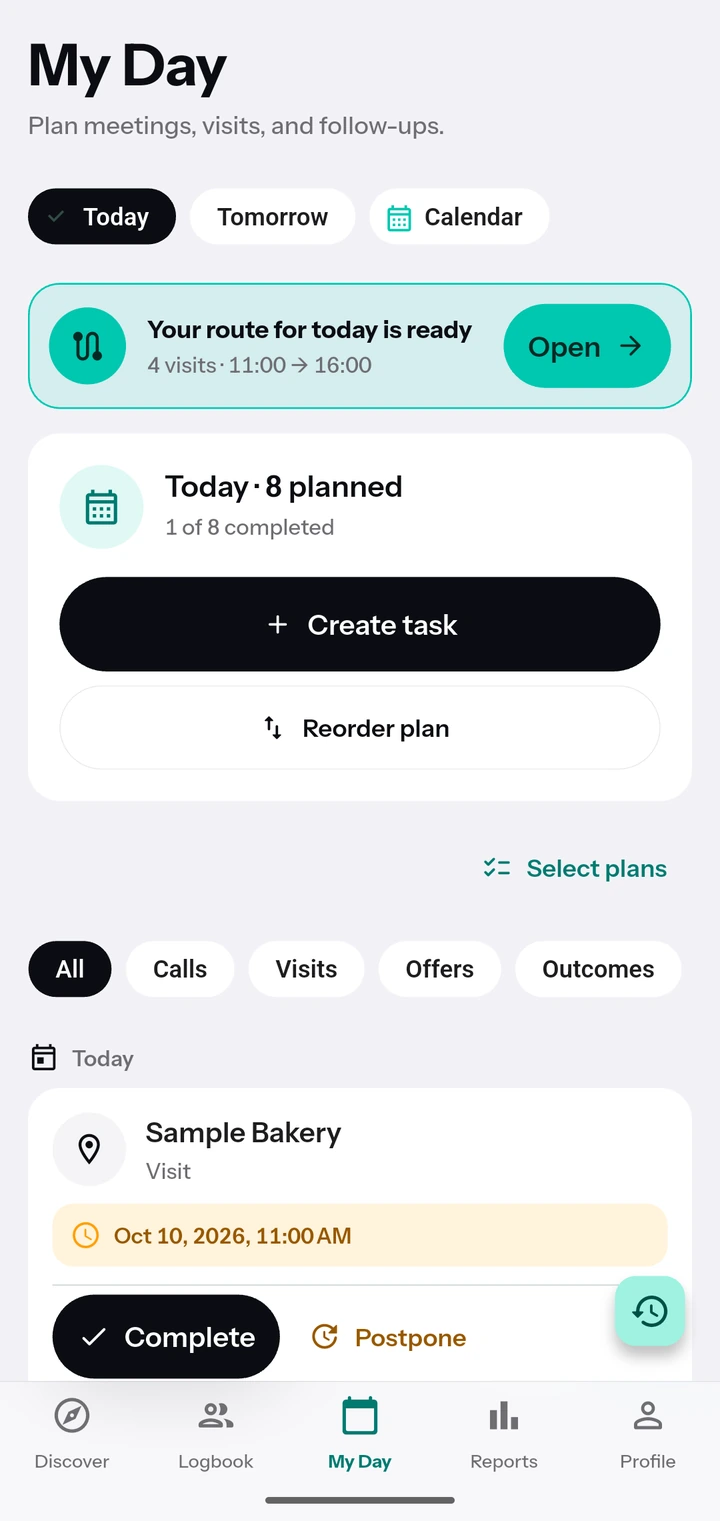
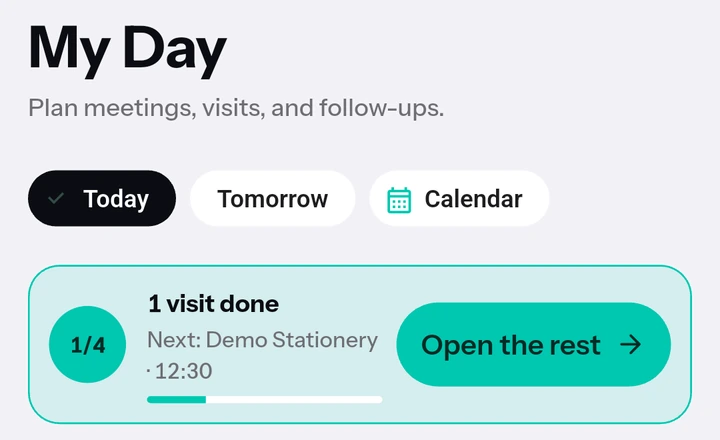
Tap Open on the “Route for the day” card in My Day; today's visits open in Google Maps in time order.
In the search results, choose 2–9 businesses with “Select for a route” and open the route in Google Maps, with nothing saved and no extra credits used.
Details: Find customersYour customers live in the Logbook, with notes, sales status and next step together. Phone, website and directions open with one tap.
Details: Customer Logbook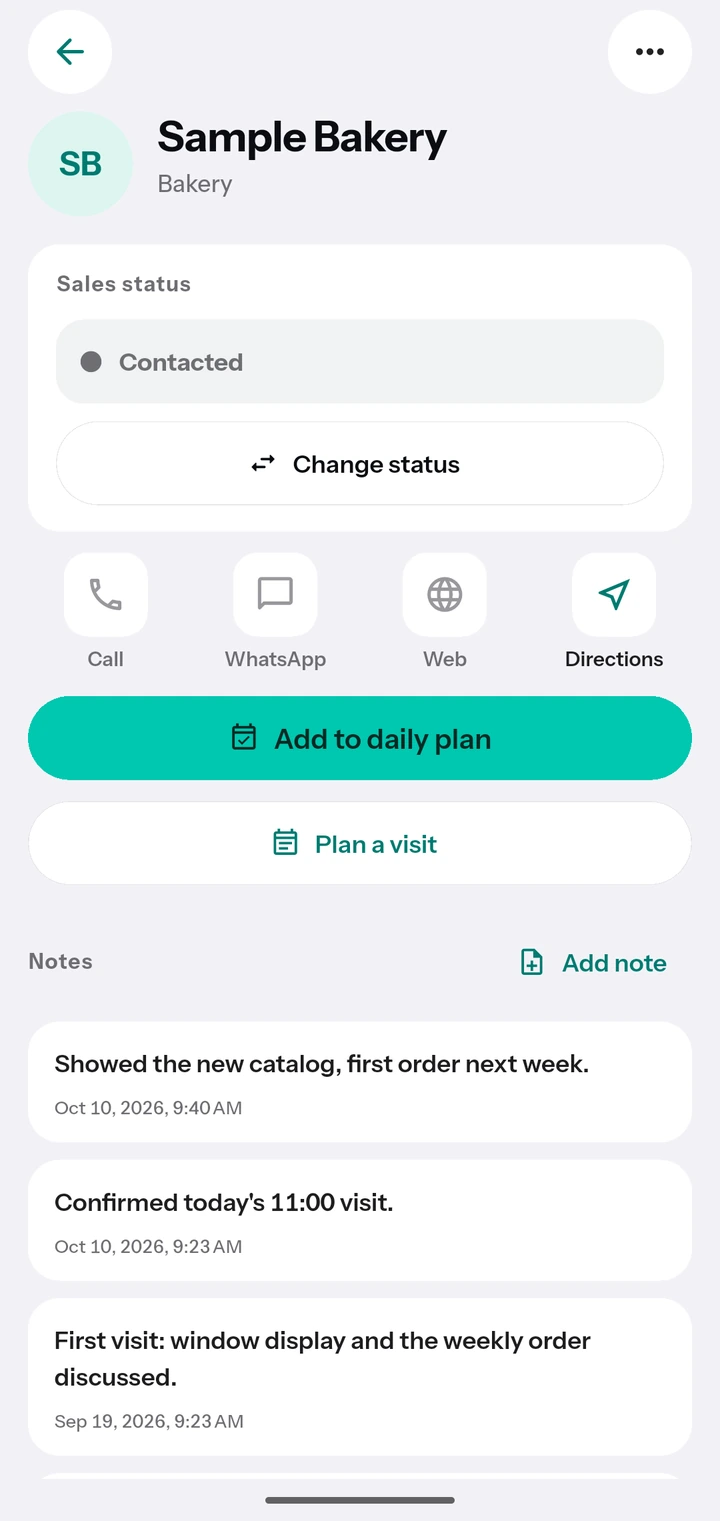
Get a reminder before each visit. On days with at least 2 visits, a “Your route for the day is ready” notification arrives around 08:30.
Details: Visit planning and route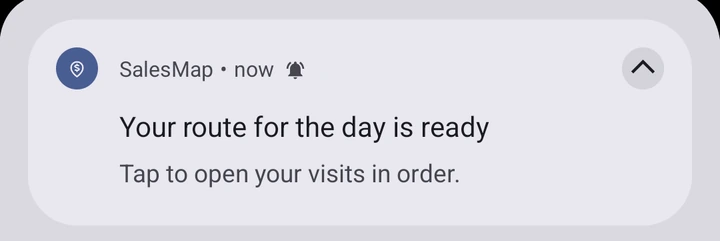
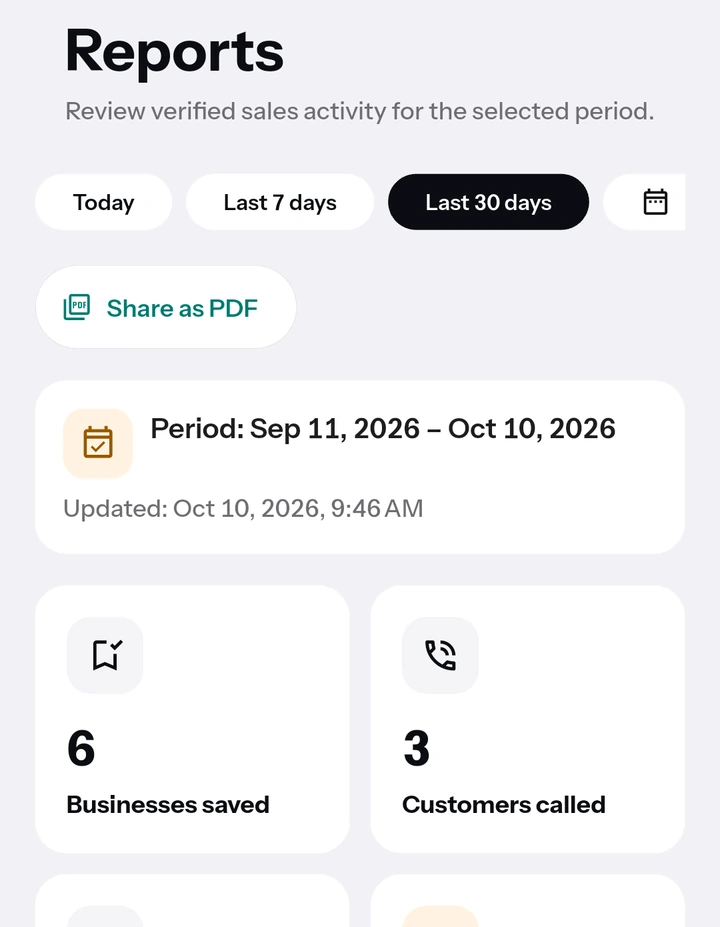
See your sales funnel, the path from Discover to won deals and your forgotten customers; share the report as a PDF. You can get a weekly summary notification on Mondays around 09:00.
You can use SalesMap in these languages.
No location permission; searches run in the area you choose. Delete your account from inside the app whenever you want.
Reps who spend the day visiting customers and looking for new ones.
People who visit the points of sale in their area on a regular round.
Those who sell advertising, software, insurance, cleaning and similar services to businesses.
Businesses that want to reach new customers in their own area.
Google Play shows the current price in your currency.
Every new search uses credits; seeing more results is free.
PRO detailsCredits are SalesMap's unit for searching. Each new search uses 1 credit; a search by splitting uses 4. Seeing more results, viewing a business, saving to your Logbook and opening a route from Discover use no credits, and you can see your last search again within 7 days without using credits. PRO gives you 75 credits every month; unused credits do not carry over.
Because SalesMap does not read your location. You search in the area you choose: you pick the area and the distance and type the kind of business. When you open a route, directions open in Google Maps.
Not yet; for now SalesMap is for Android only.
The PRO subscription renews every month through Google Play; you can cancel it in Google Play at any time. Deleting your account does not cancel the subscription.
In the app, go to Profile → Legal → Delete my account. Deletion is immediate and permanent; you can export your Logbook as a CSV file first. Deleting your account does not cancel a Google Play subscription; cancel it separately in Google Play.
7 days free; no card details needed.
Want to join the closed test? Leave your email and we'll invite you when testing starts.
Your email is used only for early access and the closed test invitation, and is deleted whenever you ask. Early access notice