
Lead finder: choose your area, list the businesses
In SalesMap's Discover screen you choose an area and a distance and type the kind of business you want; the businesses in that area come as a list. Save the ones you like to your Logbook, or open a route without saving.
You choose the area
The search runs in the area and distance you choose. SalesMap does not read your location and does not ask for location permission.
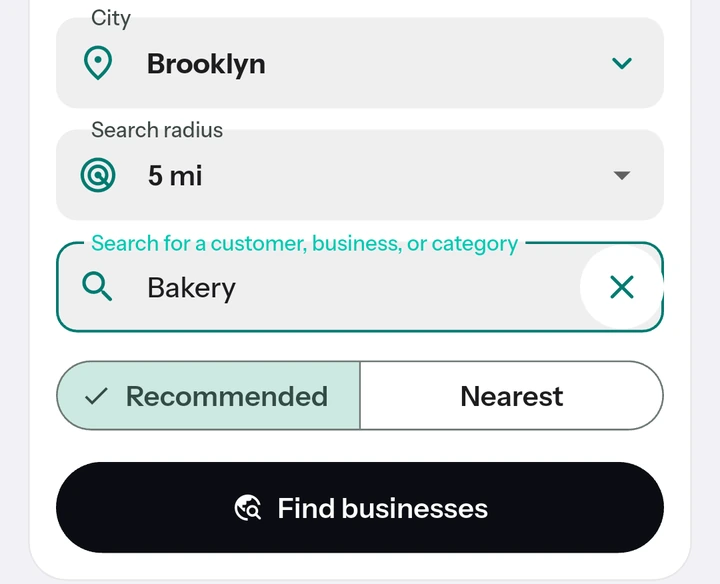
Up to 60 results per search
Results come 20 at a time; see the rest with “Show more results” without using credits. If the area has more businesses, “Search by splitting” searches it again in four parts and uses 4 credits.
Review, then save what you like
Viewing a business's details and saving it to your Logbook use no credits. When you save, you give the customer your own name for it.
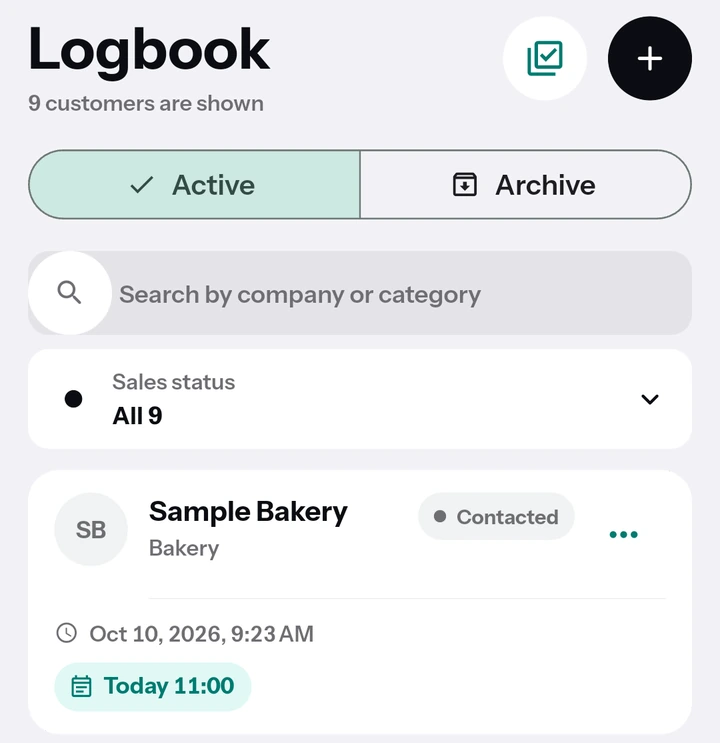
A route from your picks, right away
Choose 2–9 results with “Select for a route” and open the route in Google Maps in the order you picked, with nothing saved and no extra credits used.
Say your afternoon appointment is cancelled. Choose the area you are in, type a kind of business, pick a few from the list and open the route to fill the gap with new visits.
Your last search stays for 7 days
See your last search again within 7 days without using credits.
Try it today.
7 days free; no card details needed.
Early access
Want to join the closed test? Leave your email and we'll invite you when testing starts.
Your email is used only for early access and the closed test invitation, and is deleted whenever you ask. Early access notice